
|
|
|
|
Screenshots: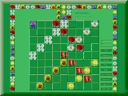 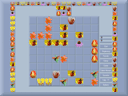 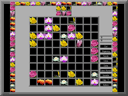 click to enlarge |
|||||||||||||||||||||||||
|
|||||||||||||||||||||||||||
This is the age-old game. The lines were built of the stones and the cockle-shells on sand. Now the lines are building of the balls and the pictures on the screen. We offer to build the lines (rectangles, crosses, corners. ...) of the blooming flowers, the flitting butterflies, etc . The game has 84 inside pictures and many (>1000) additional pictures. You can chahge the additional pictures instead the inside ones. Rose King contains three games: Rose Figures - assembly shapes such as lines, corners, crosses, etc. - total 24 species. Rose Puzzles - build the flower beds. Rose Rows - construction of lines by means of complex geometries of exchange between cells. See Description | |||||||||||||||||||||||||||
 System Requirements:
|
|||||||||||||||||||||||||||
|
Intel Celeron 466 MHz and higher Windows 98/ME/2000/XP. |
|
|
 The new pictures The new pictures |
 Setup Setup |
 Description Description |
|
The new additional pictures fore Rose King How to change the pictures see below 'Advice' |
1) If you want to change the pictures download them from this site. Execute the file Setupaddpic1.exe ( Setupaddpic2.exe, ... ). Execute the file Rose.exe. Press button <Select flowers>. The new pictures must appear on the table. Click on the favorite picture and carry up it. Drop the picture instead the old one. Click button <Set flowers>. 2) If you want to delete the additional picture press button <Select flowers>, then press right mouse button on the upper pictures. However you can't delete inside pictures with right button. The step-by-step illustrated guide on how to change background colour and the additional pictures please click here. The illustrated guide on how to build the white square flowerbed please click here. |
When you downloaded the ZIP file, open the one with a utility and extract the files to a directory you like. The file rose.zip contents:
Execute the file Rose.exe. Registration is not required. Rose King is the free software. Good luck! |
It is the game of the blooming flowers and building the lines (rectangles, crosses, corners, snakes, trapeziums, shoes ... - 24 figures). There are hundreds the additional pictures and several colour backgrounds. Kinds of the game Rose Figures. 1)Simple lines - classik. The aim of the game is to get pleasure from the flowers and to gain maximum scores. 2)Double game - building two or more figures in succession. 3)Limit time - 5, 10, 20 min. 4)Buy time - in the end of the game player may buy 1 minute additional time. Price is mean number of points for 1 minute. 5)Buy flowers - player may buy flowers in hard time to finish figure. Price is 10% of sum of points. 6)Pick up flower - remove the flower with right button to finish the building figure. A fine is 10% of sum of points. 7)Hot point - it is a last flower when you finish to build the figure. End to build the figure by the red point and you get many points. 8)Two flowers - build a figure of any two different flowers. For children. 9)Two flowers (alternate) - build two figures in succession of any two flowers. For children. 10)Five flowers - build a figure of any 5 flowers. Other words the figure must contain 5 different flowers. For children. 11)Carousal - After the successfully end to build the during figure the task changes. Build an other figure you see on the left top side of the game table. So you see the following figure to build after the next move. You can change number of the building figures and select a number between 2 and 8. If you want to chanqe the during building figure, you may buy it when mode "Buy figure" is put on. Price is only 8 points. In the game "Fortuity figure" after the successfully end to build the during figure the computer offers new fortuity figure to build, no the following figure in order. 12)Assortment - You can build any figures you see on the left side of the game table and also you can build figures according to the any game rules: "One flower", "Two flowers", "Five flowers". The figures must contain or one flower kind, or two kinds of a flowers, or five kinds of a flowers. Any figures, any flowers. The aim of the game "Assortment" is to gain maximum scores for the building figures just in succession! 13)Kid game - building figure of any flowers. New flowers appear: 1)Classic Mode - after a player moves. 2)Time Race - flowers appear in equal time intervals - 4 or 7 sec. 3)Manually Mode - flowers appear after a pressing of the Space Key. For children and for fun. Kinds and modes of other games Rose Puzzles and Rose Rows are widely described inside of the ones. For this purpose download Rose King and see information under button 'Game'. Modes are described under square with question mark. Press '?' before setting modes of play. |


